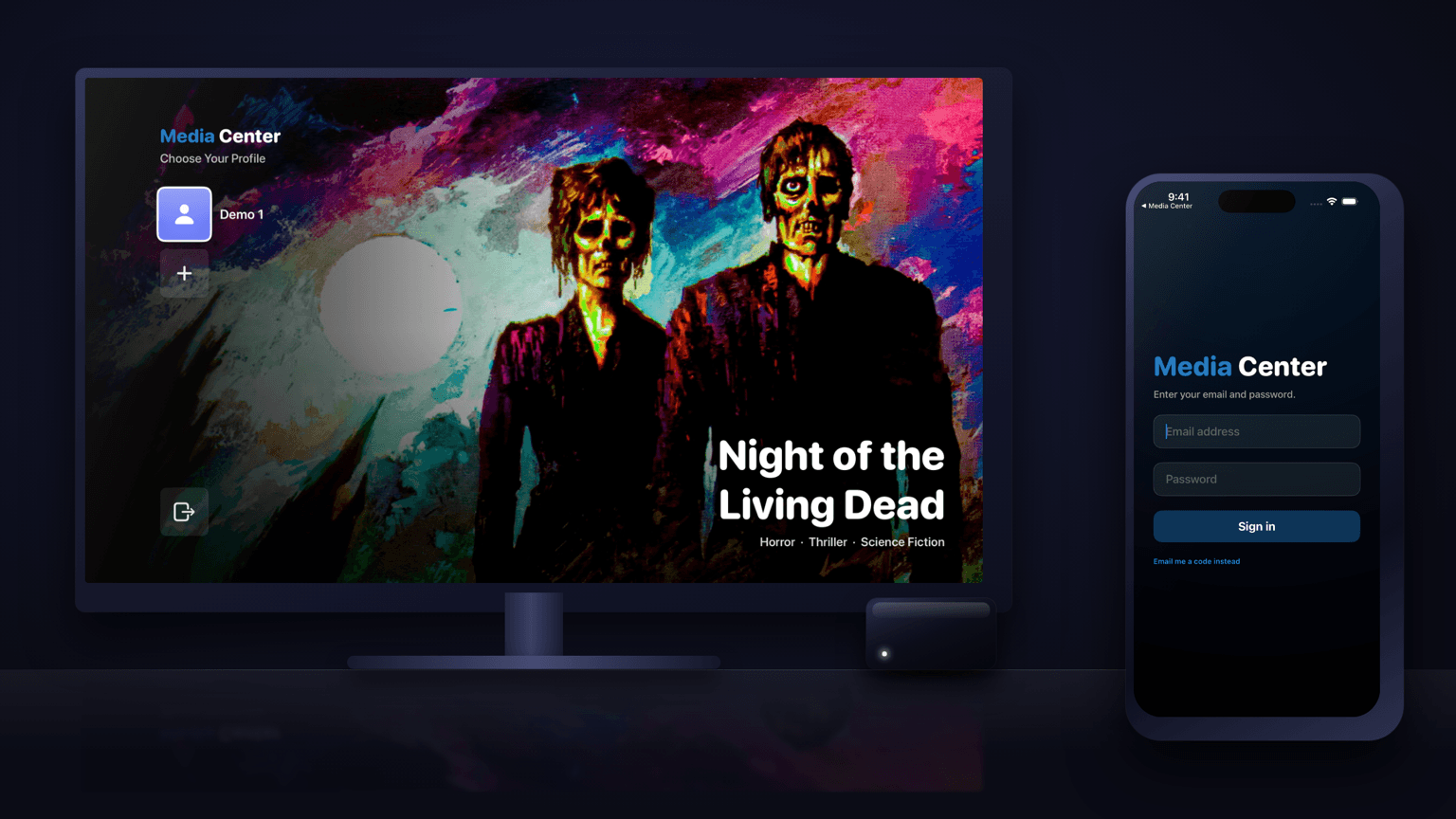

BRING YOUR OWN SERVER

The Plex and Jellyfin client for Apple TV, iPhone, iPad and Android

Media Center is a client app for the media server you already run. It ships with no content of its own: you connect your Plex or Jellyfin server — or both — and it brings them together in one fast, cinematic interface built for the living room.

You run the Plex or Jellyfin server

Create your admin account, connect your server and invite the people who watch. The Free plan covers one household.

Set up your household

Your name, your email and a one-time code. No card needed.

Someone invited you

Install the app and sign in with the email your administrator invited. There is nothing to set up.


  • Download on the App Store
  • Download on Apple TV
  • Get it on Google Play
Media Center, a Plex and Jellyfin client, on Apple TV showing a movie library

A Plex and Jellyfin client

Media Center is a client app, not a server: point it at the Plex or Jellyfin server you already run. Your movies and series arrive with artwork, descriptions and cast already matched.

Both servers, one app

Run Plex and Jellyfin side by side? Choose which one serves what — movies from one, series from the other. It all arrives in a single interface instead of two apps.

Profiles for the household

Everyone gets their own Continue Watching and saved list. A kids profile sees only what the household administrator has allowed.

How it works

  1. Connect your serverSign up as the administrator on the web and add your Plex or Jellyfin server — Sign in with Plex, or Jellyfin's HTTPS address and a one-time sign-in.
  2. Invite your householdAdd each person by email. There is no sign-up inside the app, so only the people you invite can get in.
  3. Watch on every screenInstall Media Center on Apple TV, iPhone and iPad from the App Store, or on Android phones, tablets and Android TV from Google Play. On a TV, sign in by scanning a QR code with your phone.

What you need

  • A Plex or Jellyfin server of your own, reachable over HTTPS. The app connects to it directly — your media never passes through us.
  • An account from your household administrator. The administrator sets up the server once and invites everyone else by email. There is no sign-up inside the app.

Media Center does not provide, host or sell any content.

Questions

What is Media Center?
Media Center is a Plex and Jellyfin client for Apple TV, iPhone, iPad, Android and Android TV. It plays the media servers you already run. It is a player, not a streaming service: it ships with no content of its own.
Is Media Center a Plex client or a Jellyfin client?
Both. It connects to a Plex Media Server, a Jellyfin server, or one of each, and plays them in the same app. Your server keeps doing the work of storing and organizing your library; Media Center is the app you watch it with.
Can I use Plex and Jellyfin in the same app?
Yes. Connect both servers and choose which one serves each kind of content — movies from one and series from the other, for example. Your household sees one app instead of two.
Does my video go through Media Center's servers?
No. The app streams directly from your own server over HTTPS. Media Center's servers hold your household's account, profiles and watch history, never the video.
Why does my server need HTTPS?
The apps connect only over HTTPS so every sign-in and stream is encrypted. Plex's own secure plex.direct addresses already qualify, and Sign in with Plex finds them for you; Jellyfin needs a reverse proxy with a real certificate.
Are there kids profiles?
Yes. A kids profile shows only titles with the content ratings the administrator allows, and any profile can have an optional PIN.

Plex and Jellyfin guides

All guides →

Set it up once, watch on every screen

Apple TV, iPhone, iPad, Android and Android TV, from one account per household.

You run the Plex or Jellyfin server

Create your admin account, connect your server and invite the people who watch. The Free plan covers one household.

Set up your household

Your name, your email and a one-time code. No card needed.

Someone invited you

Install the app and sign in with the email your administrator invited. There is nothing to set up.

  • Download on the App Store
  • Download on Apple TV
  • Get it on Google Play

Plex and Jellyfin client for Apple TV, iPhone and iPad →

Plex and Jellyfin client for Android TV, phones and tablets →