

ANDROID · ANDROID TV

The Plex and Jellyfin client for Android TV, phones and tablets

Media Center is a client app for the Plex and Jellyfin servers you already run. Connect one or both, invite your household, and watch on every Android TV, phone and tablet in the house — with a profile for each person and a QR-code sign-in on the TV.

You run the Plex or Jellyfin server

Create your admin account, connect your server and invite the people who watch. The Free plan covers one household.

Set up your household

Your name, your email and a one-time code. No card needed.

Someone invited you

Install the app and sign in with the email your administrator invited. There is nothing to set up.

  • Get it on Google Play
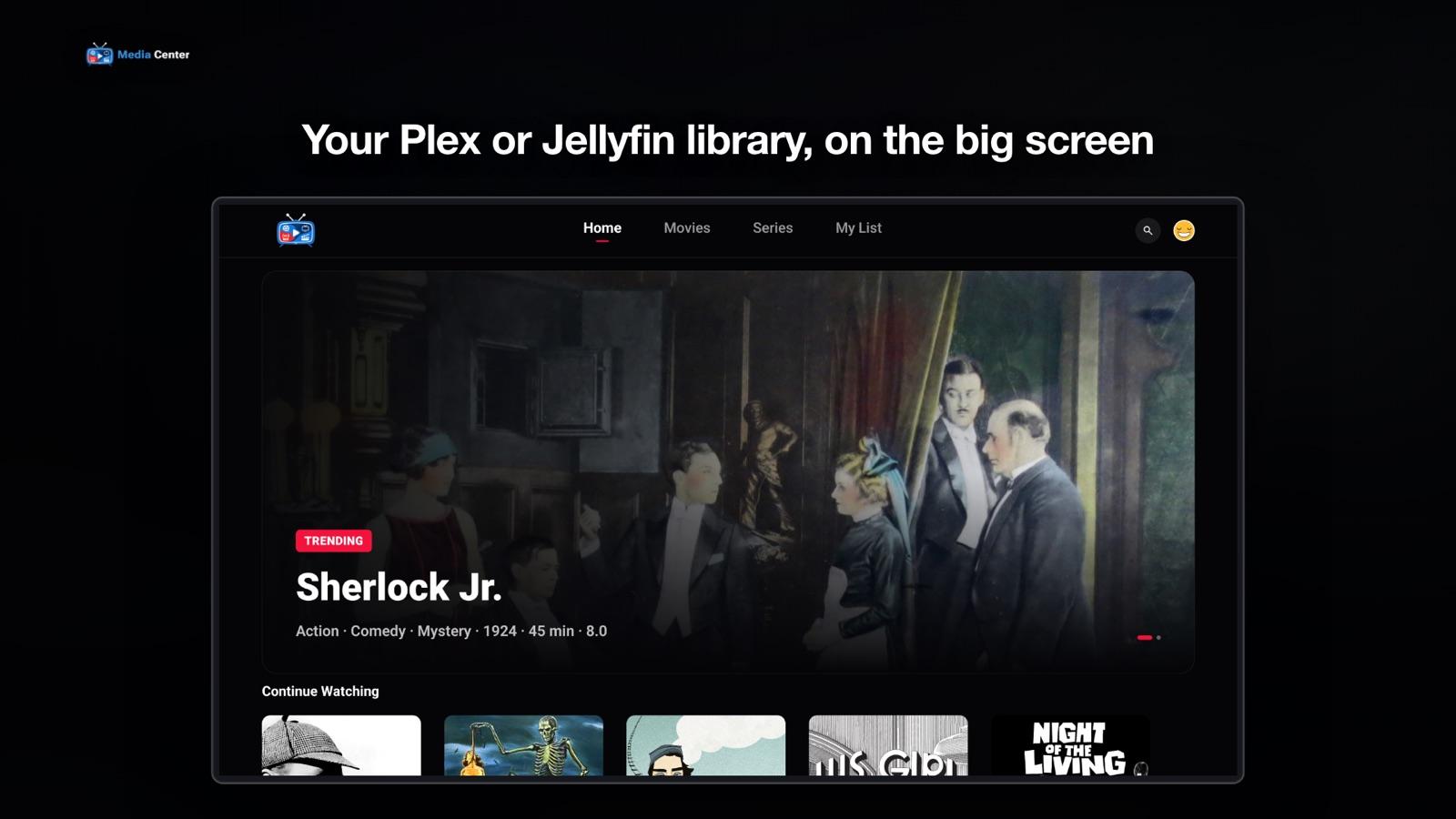
Media Center on Android TV, showing a Plex or Jellyfin library with Continue Watching

Plex and Jellyfin, one app

Connect a Plex server, a Jellyfin server, or both. Choose which one serves movies and which serves series, and your household sees a single app on the TV instead of two.

Built for the remote

The Android TV app is designed for the D-pad: big artwork, rows you move through with the arrows, and a player whose scrubber shows the time remaining.

Sign in with a QR code

No typing an email with the remote. The TV shows a QR code — scan it with your phone, sign in there, and the TV signs itself in. A one-time code by email works too.

Profiles for everyone

Each person gets their own Continue Watching and My List. Kids profiles see only titles with the content ratings the administrator allows, and any profile can have a 4-digit PIN.

Phones and tablets too

The same Google Play download runs on Android phones and tablets, with layouts made for each. Keep watching in Picture in Picture, or cast to a TV from your phone.

Your server, your video

The app streams straight from your own server over HTTPS. Media Center's servers keep your household's account, profiles and watch history — never the video.

How to get Plex and Jellyfin on Android TV

  1. Connect your serverOn a computer, sign up as the administrator and add your Plex or Jellyfin server — Sign in with Plex, or Jellyfin's HTTPS address and a one-time sign-in.
  2. Invite your householdAdd each person by email. There is no sign-up inside the app, so only the people you invite can get in.
  3. Install from Google PlayGet Media Center on your Android TV, phone or tablet. On the TV, scan the QR code with your phone to sign in.

What you need

  • A Plex or Jellyfin server of your own, reachable over HTTPS. Plex already is — turn on its Remote Access to watch away from home, and Sign in with Plex finds its addresses; Jellyfin needs a reverse proxy with a real certificate — here is how.
  • An Android TV, or a phone or tablet on Android 7.0 or later. One Google Play download covers all three.
  • An invitation from your household administrator. The administrator sets up the server once on the web and invites everyone else by email.

Media Center does not provide, host or sell any content.

Questions

Is there a Plex and Jellyfin client for Android TV?
Yes. Media Center is a client for both: it plays Plex and Jellyfin on Android TV, Android phones and tablets from one Google Play download. Connect one server or both, and choose which one serves each kind of content.
Can I use Plex and Jellyfin in the same app on Android TV?
Yes. That is what Media Center is for: movies can come from one server and series from the other, and everyone in the house uses one app instead of switching between two.
How do I watch Jellyfin on Android TV?
Give your Jellyfin server an HTTPS address, add it as a source in the Media Center dashboard, invite your household, then install Media Center on Android TV from Google Play and sign in by scanning the QR code with your phone.
Is Media Center an alternative to the official Plex app on Android TV?
It is an independent player for the Plex Media Server you already run. It does not replace your server or your Plex account; it adds household profiles, kids profiles and a QR sign-in, and can show a Jellyfin server in the same app.
How do I sign in on Android TV without typing?
The sign-in screen shows a QR code. Scan it with your phone, sign in with the email address you were invited with, and the TV signs itself in. You can also ask for a one-time code by email.
Which Android versions are supported?
Android 7.0 or later on phones and tablets, and Android TV devices — including TVs and streamers that run Google TV.
Does Media Center come with movies or shows?
No. Media Center is a player, not a streaming service. It plays only the Plex and Jellyfin servers your household already runs, and does not provide, host or sell any content.

Android guides

All guides →

Set it up once, watch on every Android screen

One download for Android TV, phones and tablets, and one account per household.

You run the Plex or Jellyfin server

Create your admin account, connect your server and invite the people who watch. The Free plan covers one household.

Set up your household

Your name, your email and a one-time code. No card needed.

Someone invited you

Install the app and sign in with the email your administrator invited. There is nothing to set up.

  • Get it on Google Play